Delete a VPN
Deleting a VPN is possible regardless of its status.
You can delete a VPN using any of the following three methods:
- From inventory, select the VPN to delete and click on “Delete”
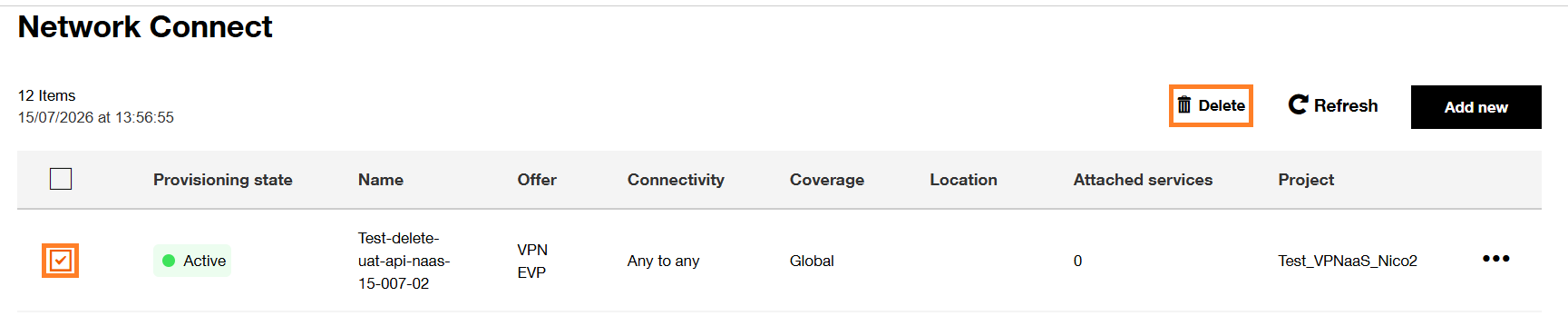
After clicking on “Delete" button, the following pop-up will be displayed :

To confirm the VPN deletion, click the “Delete” button. To cancel, click “Cancel” instead.
After clicking the "Delete" button, the deletion confirmation pop-up will appear in the upper-right corner of the page and the VPN will no longer be visible.

-
From inventory, select the VPN to delete and click on the three dots in the row on the right, then click on "Delete"
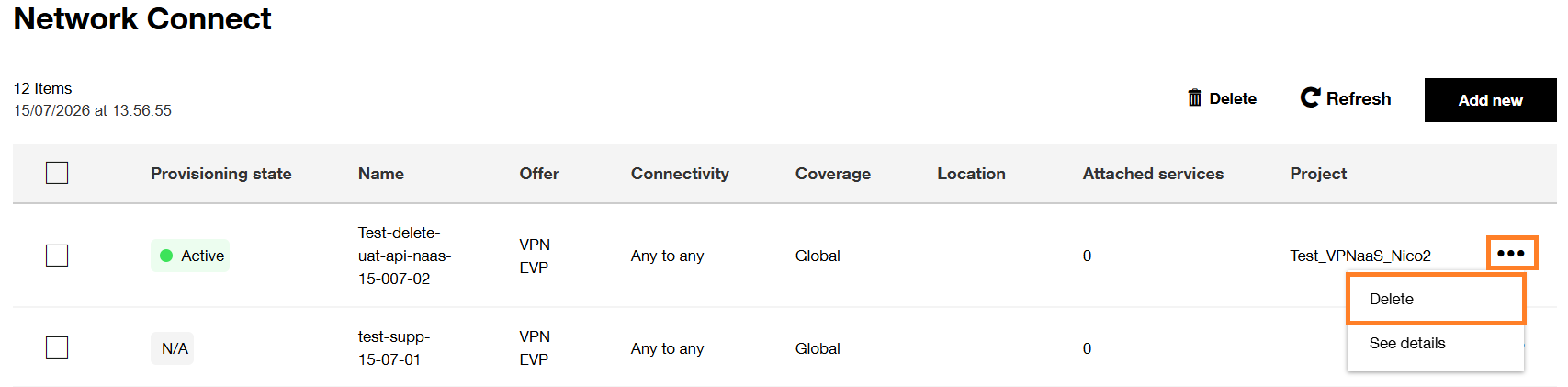
After clicking on “Delete” button, the following popup will be displayed :
To confirm the VPN deletion, click the “Delete” button. To cancel, click “Cancel” instead.
After clicking the "Delete" button, the deletion confirmation pop-up will appear in the upper-right corner of the page and the VPN will no longer be visible.
-
From inventory, select the VPN to delete and click on the three dots in the row on the right, then click on "See details"

When the following screen will be displayed, click on “Delete” button
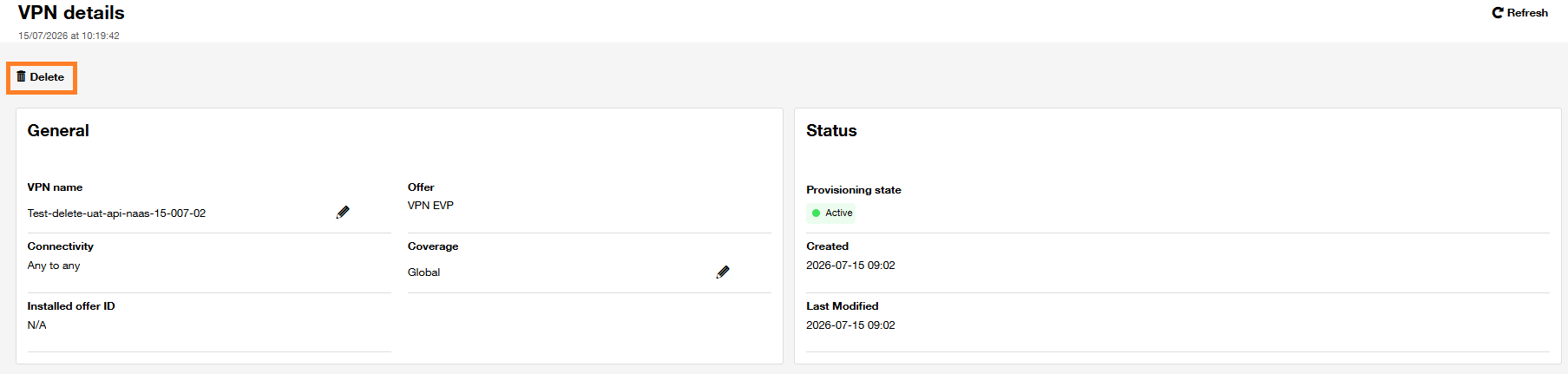
After clicking on “Delete” button, the following popup will be displayed :
To confirm the VPN deletion, click the “Delete” button. To cancel, click “Cancel” instead.
After clicking the "Delete" button, the deletion confirmation pop-up will appear in the upper-right corner of the page and the VPN will no longer be visible.